
Models > Project Manager
Models > Project Manager
Project Manager
Our Premium Multi-Monitor Workstation for Demanding Plan-Review Workflows
The Project Manager gives professionals more room to see, compare and manage the information surrounding every project.
It combines a large-format 4K touchscreen with four 24-inch side monitors, an extended work surface, ergonomic electric positioning and a complete Windows workstation configuration.
Built for plan reviewers, project managers, estimators and construction professionals who work across plans, specifications, email, project software and supporting documents—often all at the same time.
Who Is the Project Manager Built For?
The Project Manager is intended for professionals whose work requires plans, supporting documents, communication and project software to remain visible at the same time.
- Municipal plan review
- Building and permitting departments
- Project management
- Construction estimating
- General contractors
- Specialty contractors
- Architecture and engineering
- BIM and VDC coordination
- Facilities management
- Construction-management education
- Complex document review
- Multi-application technical workflows
It is especially well suited for professionals who need plans, specifications, communication and supporting project information visible at the same time—and have outgrown the limitations of a single-screen workspace.
Five Screens. One Organized Workspace.
Plan review rarely happens in a single document or application. Professionals may need to view the drawing set, specifications, email, permit records, project-management software, video meetings and supporting documents during the same review.
The Project Manager builds on the Facility Manager platform with expanded monitor capacity, a higher-performance Windows computer with 32 GB RAM, 1 TB storage and an 8 GB graphics card, front-access computing, a 48-inch extended work surface, an integrated USB charging station, programmable height settings and the iShade.
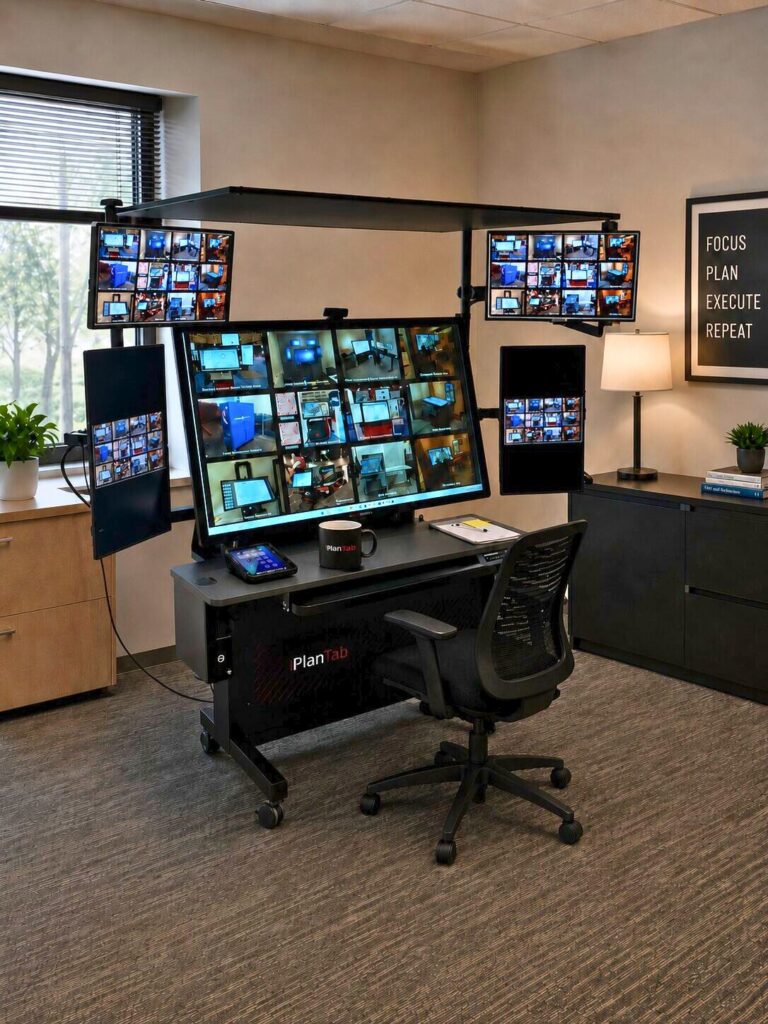
At the center is a large-format 4K touchscreen for viewing, navigating and marking up plans. Four rotating 24-inch side monitors keep the information surrounding the review visible and accessible:
The Project Manager includes four 24-inch side monitors surrounding the main large-format touchscreen:
- Two touch side monitors
- Two non-touch side monitors
A typical workflow may keep the primary plan on the large touchscreen, specifications and permit information on the touch side monitors, and email, project software, video meetings or reference documents on the non-touch monitors.
Instead of repeatedly minimizing windows, switching between applications or searching for buried information, the Project Manager creates one organized workspace where plans and supporting project information can remain visible at the same time.
More Information. Fewer Interruptions.
Built for the way project information actually moves
Project information does not arrive in one format or stay in one place. Plans change. Questions are emailed. Specifications are referenced. Meetings happen online. Supporting documents must be compared.
The Project Manager brings those resources together in one purpose-built workstation so the user can remain focused on the project instead of constantly rearranging windows and searching for information.
- Review and mark up plans
Use the large touchscreen for viewing, zooming, navigating and annotating detailed plan sets.
- Compare documents
Keep revisions, specifications and supporting documents visible on separate screens.
- Manage communication
Display email, project software or video meetings without covering the active plan.
- Organize complex projects
Assign different applications and information sources to dedicated screens.
- Collaborate more effectively
Adjust the workstation for individual work, side-by-side review or group discussion.
What Keeps a Five-Screen Workflow Working
- Large format 4K PCAP touchscreen
- Four rotating 24-inch side monitors
- Two touch side monitors
- Two non-touch side monitors
- Higher-performance computer and graphics configuration
- Quiet wireless keyboard and mouse
- Front-access computer placement
- Electric height adjustment
- Electric screen tilt
- 48-inch extended work surface
- Keyboard drawer and storage tray
- Higher-performance Windows computer included
- Integrated USB charging station.
- MPP active stylus capability
- Palm rejection
- Webcam
- Windows computer configuration
- Battery backup and surge protection
- Heavy-duty mobile workstation construction
- Locking casters
- iShade glare-control canopy
- Workstation designed, fabricated and assembled in the USA
- Two MPP active styluses
- Two stylus holders
- Touchscreen cleaning kit
The standard Project Manager computer includes 32 GB RAM, 1 TB storage and an 8 GB graphics card to support the five-screen configuration. Upgraded specifications may be requested, or the computer can be removed when a customer provides its own.
Power Up Front. Workspace Where You Need It.
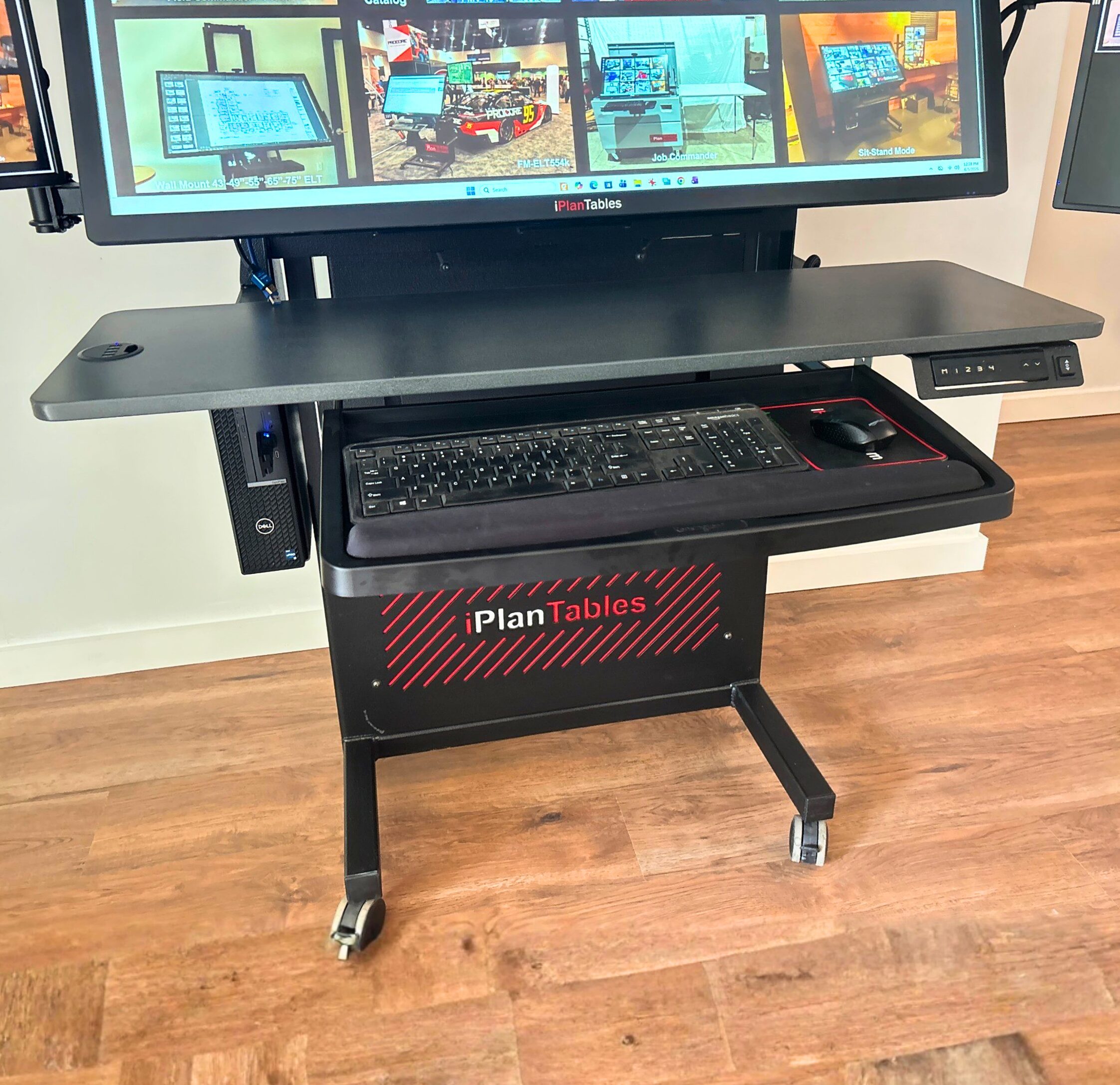
The Project Manager positions the computer at the front of the workstation for convenient user access and easier IT support.
This front-access design makes it easier to reach the power button, connect USB devices and peripherals, service the computer, and replace or upgrade it without reaching behind the touchscreen or opening a rear enclosure.
- Easier access to the PC power button
- Convenient USB and peripheral connections
- Faster IT service and troubleshooting
- Simpler computer replacement or upgrades
- No need to reach behind the main display
- No rear enclosure to open
The Project Manager also includes a generous 48-inch work surface for documents, mobile devices, accessories and everyday work essentials without crowding the touchscreen.
A keyboard drawer and storage tray keep frequently used items accessible while preserving the main work area.
An integrated USB charging station places convenient charging access directly on the work surface.
Large-Format 4K Touch for Plans and Technical Documents
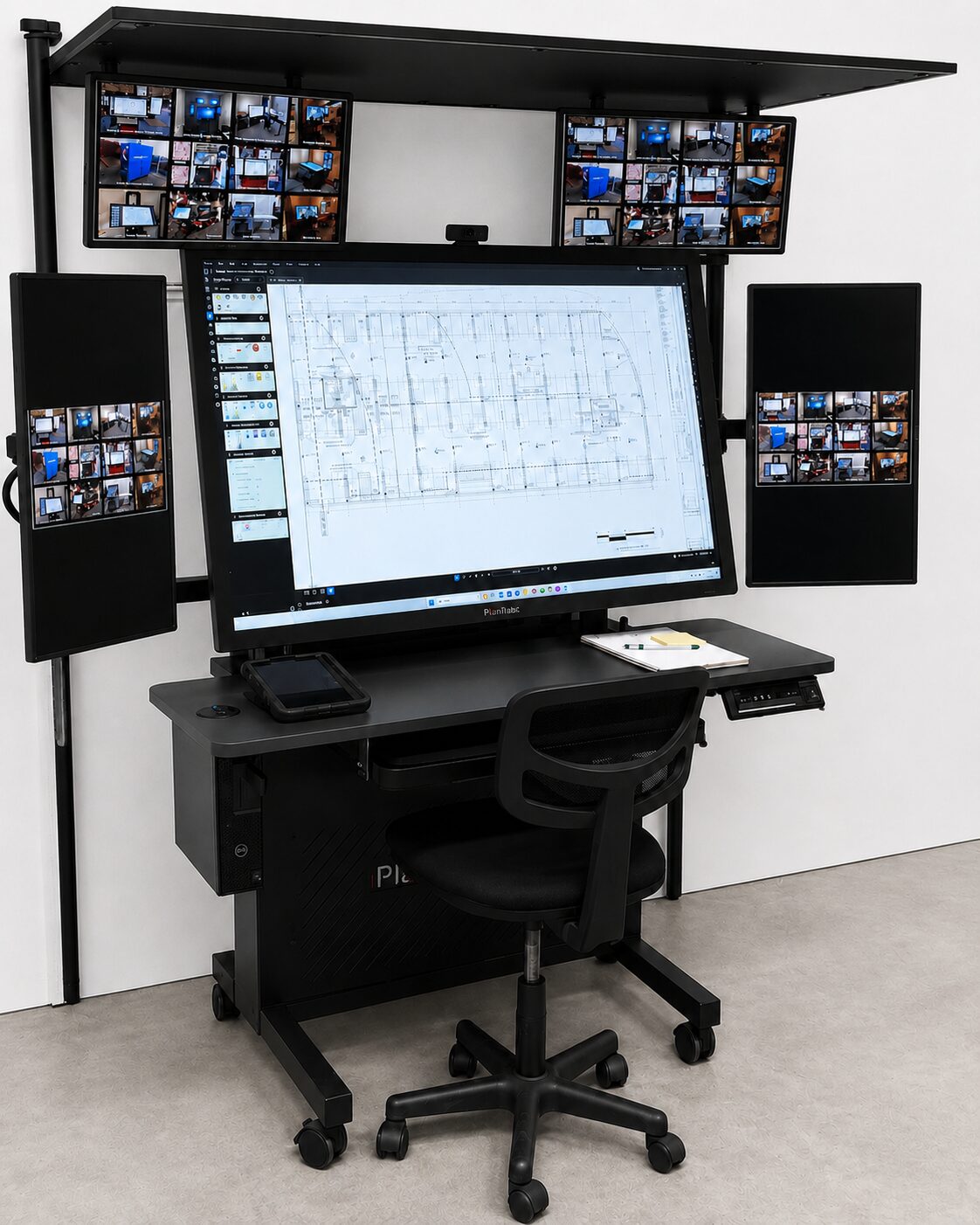
The central 4K PCAP touchscreen gives users a larger view of plans and technical documents while retaining the detail needed for close review. Touch navigation makes it easier to move through drawings, enlarge details, compare information and interact directly with compatible Windows applications.
Available with 43-inch, 49-inch, 55-inch and 65-inch main touchscreens.
Touchscreen specifications
- 4K resolution
- 700-nit brightness
- Anti-glare surface
- Multi-touch PCAP technology
- MPP active stylus support
- Palm rejection on applicable models
Write and Mark Up With Greater Precision
MPP active stylus technology provides a more natural and accurate writing experience for plan notes, comments and annotations.
Palm rejection allows the user to rest a hand naturally on the screen while writing on applicable models, reducing unintended marks and interruptions.
The stylus experience is designed for professional document interaction—not simply basic touch navigation.
Integrated iShade for Improved Viewing
The Project Manager includes the iShade canopy to help reduce overhead glare and visual distractions in office, plan-review and project environments.
Designed for indoor environments, the iShade creates a more controlled viewing area around the main touchscreen and supporting monitors.
Adjust the Workstation to the Task
Electric height and tilt controls allow the Project Manager to move from seated work to standing review, angled markup or a more upright collaboration position.
Instead of forcing the user to adapt to a fixed display, the workstation can be positioned for the person, task and meeting taking place. Programmable height settings allow different users to save preferred seated and standing positions and return to them quickly.
- Sit or stand
- Tilt for detailed markup
- Raise for collaboration
- Return to saved working heights
- Reposition the workstation as workflows change
A Complete Workstation System, Built Around the Work
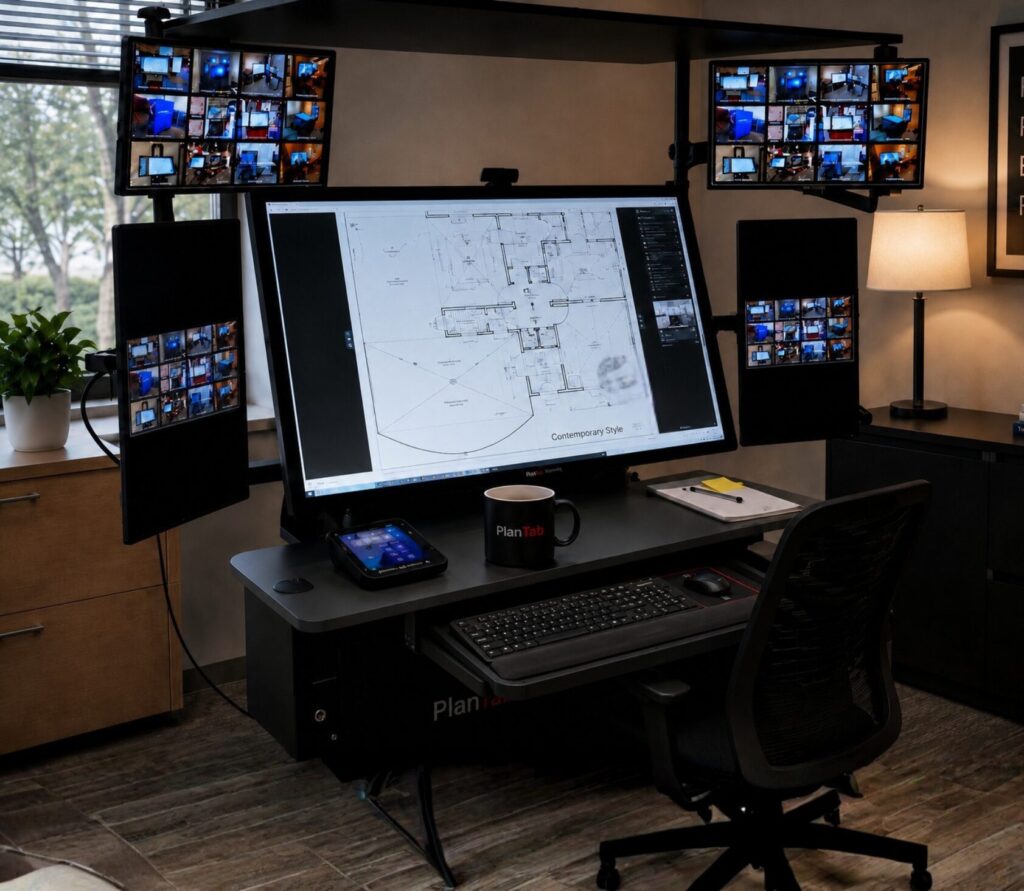
The Project Manager is delivered as a coordinated workstation system. The touchscreen, side monitors, computer, positioning controls, work surfaces, keyboard and mouse, webcam, power protection and accessories are selected and assembled to function together.
The standard Windows computer includes 32 GB RAM, 1 TB storage and an 8 GB graphics card selected to support the Project Manager’s five-screen configuration. Upgraded specifications may be requested, or the computer can be removed when a customer provides its own.
- Higher-performance Windows computer
- Quiet wireless keyboard and mouse
- Webcam
- Two MPP active styluses
- Battery backup
- Surge protection
- Integrated cable management
- Locking mobile casters
Designed, Fabricated and Assembled in the USA
The Project Manager workstation is designed around professional plan-review and information-management workflows.
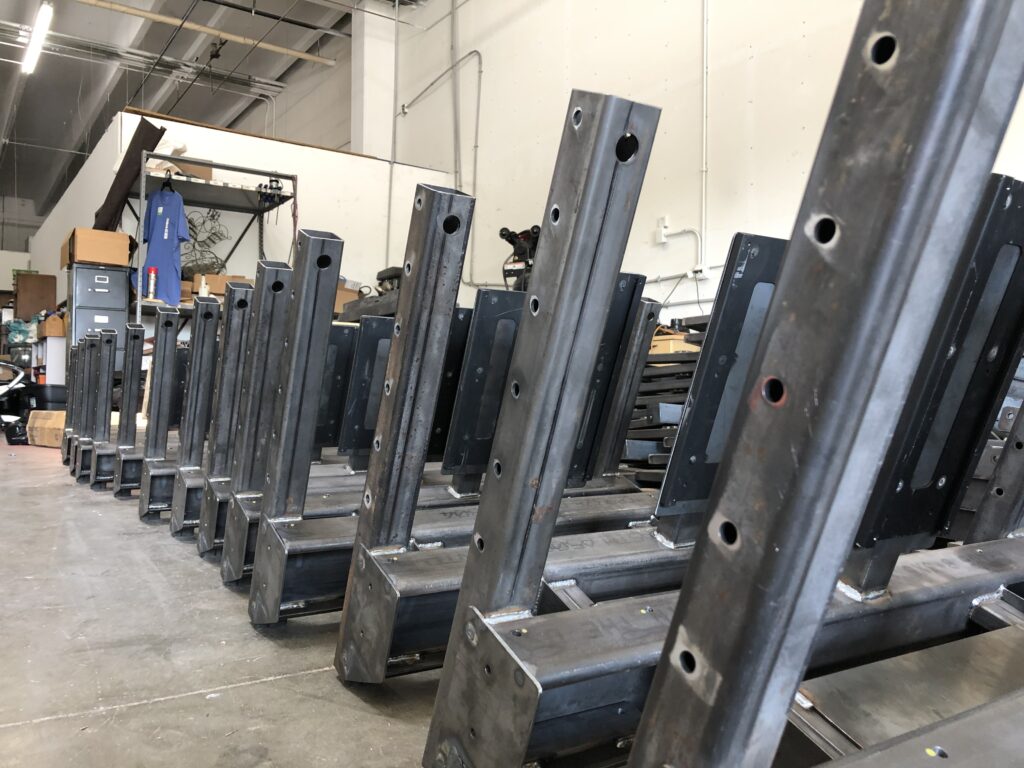
Its heavy-duty workstation structure is fabricated and assembled in the United States using commercial-grade components selected to support daily office and project use.
A Premium Workspace Wherever Project Decisions Are Made
The Project Manager can support a permanent office, plan-review department, project office or construction trailer. Its mobile workstation design allows organizations to position the system where the project team needs it while retaining the capabilities of a complete multi-screen workspace.
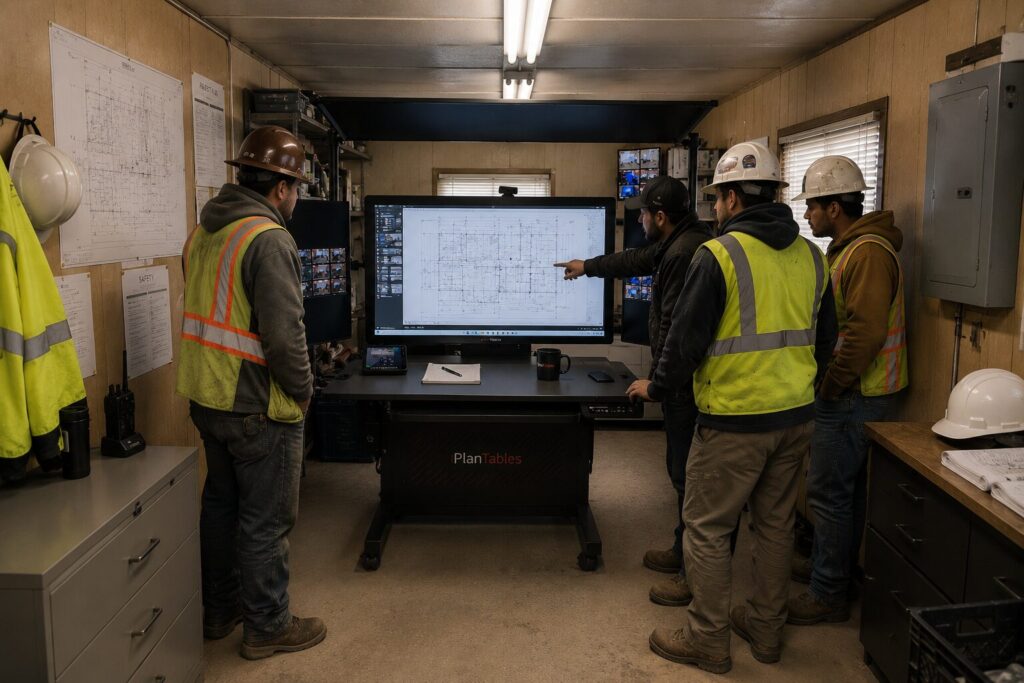
- Project office or trailer
Large-format plan review and shared project information close to field operations.
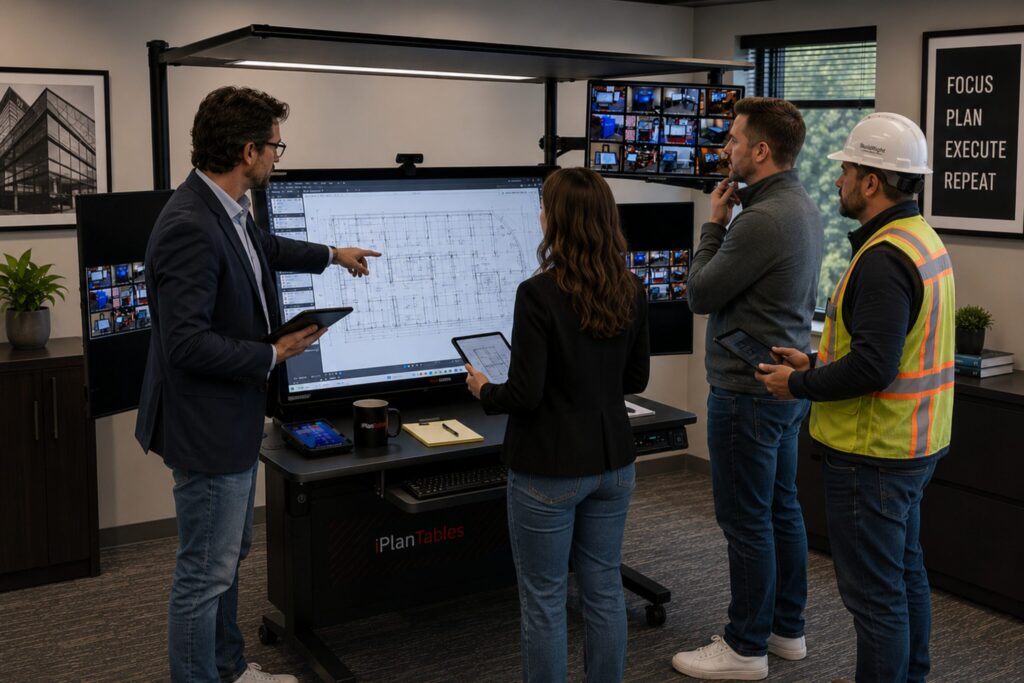
- Office environment
A complete multi-screen workspace for individual review and daily project management.
Project Manager at a Glance
| Feature | Project Manager |
|---|---|
| Main Touchscreen Sizes | 43, 49, 55 or 65 inches |
| Resolution | 4K |
| Brightness | 700 nits |
| Touch Technology | PCAP multi-touch |
| Digital Markup | Two MPP active styluses included |
| Palm Rejection | Included |
| Included Side Monitors | Four rotating 24-inch monitors |
| Side-Monitor Configuration | Two touch and two non-touch monitors |
| Monitor Orientation | Side monitors rotate between portrait and landscape |
| Height Adjustment | Electric with programmable saved positions |
| Main Screen Tilt | Electric |
| Viewing Canopy | iShade included |
| Work Surface | 48-inch extended work surface |
| USB Charging | Integrated USB charging station |
| Computer Access | Front-access computer |
| Standard Computer | 32 GB RAM, 1 TB storage and 8 GB graphics card |
| Operating System | Windows 11 Pro when iPlanTables supplies the computer |
| Computer Options | Customer-provided computer or upgraded iPlanTables configuration |
| Keyboard Workspace | Keyboard drawer and storage tray with quiet wireless keyboard and mouse |
| Webcam | Included |
| Power Protection | Battery backup with surge protection |
| Stylus Holders | Two included |
| Cleaning Kit | Included |
| Mobility | Locking casters |
| Standard Warranty | Two years |
| Construction | Designed, fabricated and assembled in the USA |
Want the detailed specifications?
Request the Product Data Sheet for the Project Manager for detailed hardware, included equipment and configuration information.
Need a More Configurable Starting Point? Explore the Facility Manager.
The Project Manager is designed for professionals who need the maximum five-screen working view, extended work surface, front-access computer and integrated iShade. When the workflow calls for a complete mobile workstation with fewer supporting monitors and more configuration flexibility, the Facility Manager may be the better fit.
Ready for a Workspace That Can Keep Up With the Project?
Request the iPlanTables catalog to compare models, configurations and pricing, or schedule a 30-minute demo to see how the Project Manager can support your plan-review workflow.