

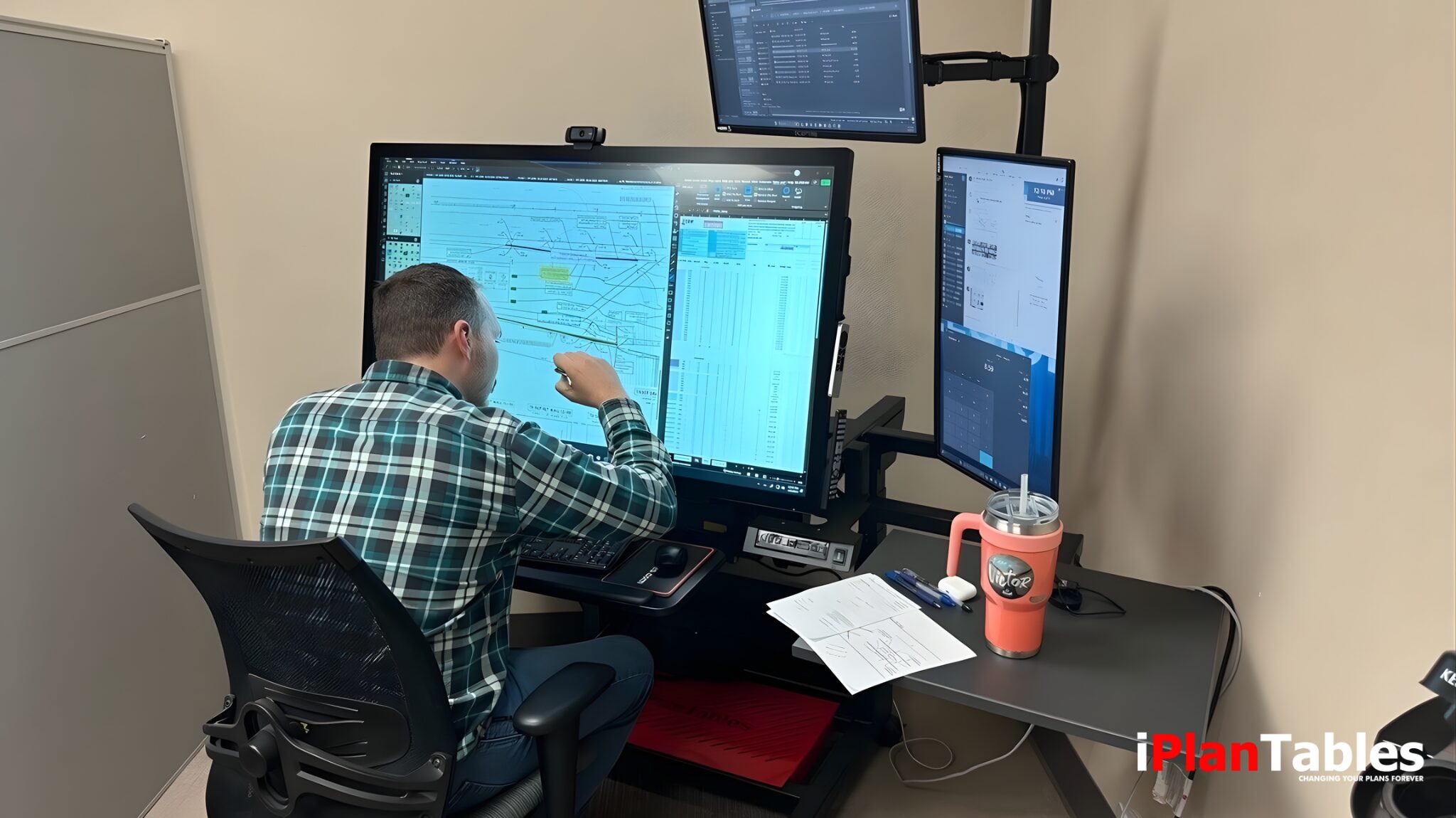
A smart table touch screen is no longer a futuristic concept—it is a mission-critical tool for municipalities, architects, engineers, contractors, and institutions managing complex digital plans.
For over 16 years, iPlanTables has advanced wide-format touchscreen workstation technology built specifically for professional plan review environments. From single-home builders to organizations such as The Mayo Clinic, Brown University, the State of New York, and CalFire, thousands rely on purpose-built smart touchscreen workstations to streamline workflows, reduce printing, and modernize collaboration.
If you’re evaluating how a smart table touch screen fits into your professional environment, this FAQ guide addresses the most common and important questions.
What Is a Smart Table Touch Screen?
A smart table touch screen is a large-format interactive workstation that combines high-resolution displays with multi-touch functionality, allowing professionals to interact directly with digital content.
Unlike consumer-grade interactive tables, professional smart touchscreen tables are designed to handle:

Wide-format construction plans
CAD and BIM files
Multi-document workflows
Real-time collaboration


Simultaneous software use (Plans, Specs, Email, Teams, Excel)
In professional settings, these systems replace paper-heavy review processes with a centralized digital environment built for performance and clarity.
How Is a Professional Smart Table Touch Screen Different from a Standard Touch Display?
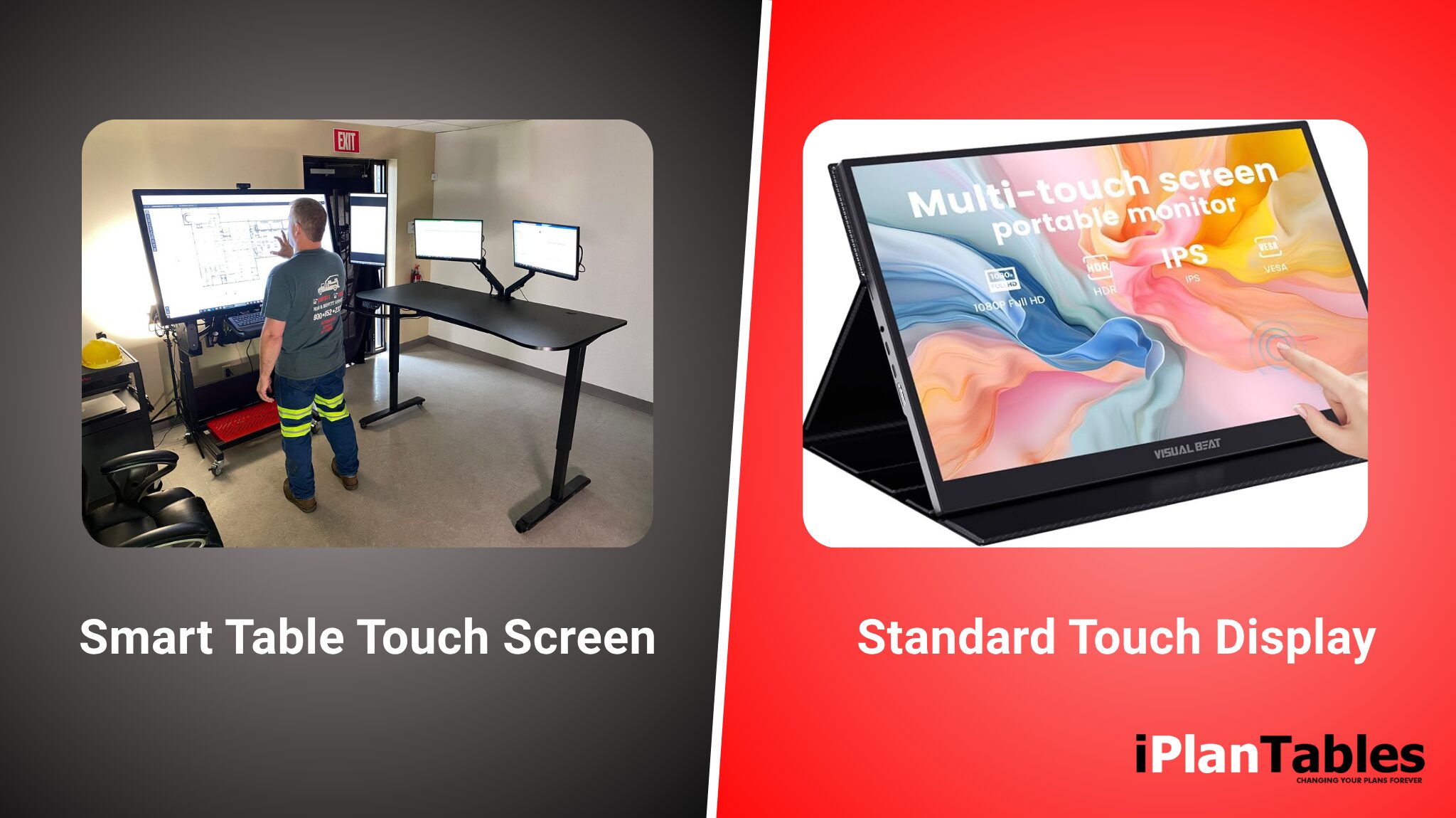
Not all touchscreen tables are built the same way.
Consumer-oriented smart tables often focus on entertainment, retail interaction, or classroom engagement. Professional-grade workstations, such as those offered by iPlanTables, are engineered specifically for high-demand technical environments.
Key differences include:
- 4K ultra-high resolution for detailed plan review
- PCAP touch technology for accurate responsiveness
- Microsoft Active Pen Protocol stylus integration
- Palm rejection capability
- High brightness (up to 700 nits) for visibility in various lighting conditions
- Anti-glare surfaces
- Rugged and jobsite-ready configurations
- Multi-monitor capability (up to five monitors per workstation)
The difference is not cosmetic—it is functional. Professional environments require zero compromise.
Cute marketing names and short-term technology trends fade quickly. Infrastructure decisions in government and construction environments must perform reliably for years, not product cycles.
You’re a professional. Choose professional-grade tools.
Who Uses Smart Table Touch Screen Workstations?

Smart table touch screen systems are widely adopted in industries where accuracy, collaboration, and efficiency are essential.
Common users include:
- Municipal plan review departments
- Architecture firms
- Engineering teams
- Construction contractors
- Healthcare institutions
- Educational institutions
- Government agencies
For example, Wayne Township initially implemented a single workstation to evaluate cross-departmental performance. After experiencing improved efficiency and collaboration, they expanded to 14 additional units.
These tools are not experimental—they are operational infrastructure.
What Features Matter Most in a Professional Smart Table Touch Screen?
When evaluating options, professionals should prioritize performance-driven features over marketing gimmicks.
Key features include:
1. Display Size Options
Professional models range from 32” to 75” to accommodate different workflows and room configurations.
2. 4K Resolution
Critical for reading fine architectural details without zoom fatigue.
3. PCAP Touch Technology
Ensures accurate multi-touch control, including pinch, zoom, and swipe gestures.
4. Stylus Compatibility
Microsoft Active Pen Protocol support enables accurate digital markup.
5. Palm Rejection
Prevents unintended inputs during extended plan review sessions.
6. Multi-Monitor Integration
Up to five monitors allow users to keep plans, specifications, communication tools, and spreadsheets visible simultaneously.
Plans. Specs. Email. Teams. Excel.
All in front of you — at the same time.
7. Workflow-Optimized Adjustability
Flat-to-conference-room positioning improves collaboration and user comfort.
8. Rugged Options
Models such as mobile and outdoor configurations support jobsite deployment.
Professional workflows demand durability, flexibility, and clarity—not novelty.
9. Detailed Workstation Models & Configurations
iPlanTables offers purpose-built 4K touchscreen workstations designed to eliminate scrolling, reduce screen switching, and bring your entire workflow into view. Models include:
- FM-ELT (43″, 49″, 55″, 65″, up to 5 monitors)
- Desktop Commander (43″, 49″, up to 5 monitors)
- Office Command Center (43″, 49″, 55″, 65″, 4 monitors with matching sit-stand desk)
- FM-Hydra (43″, 49″, 55″, 65″, 5 total monitors)
- Job Commander (self-contained customizable job box, ventilated and cooled, with 43-inch display)
- Field Commander (advanced job box, customizable company branding optional, available with 43-inch and 49-inch displays)
- Wall Commander (43″, 49″, 55″, 65″, 75″, conference-room convertible workstation)
Each model includes features such as a PC (your PC or ours), an accessible PC holder, battery backup, and surge protectors standard on every model.
Professional workflows demand durability, flexibility, and clarity—not novelty.
Can a Smart Table Touch Screen Replace Printed Plans?
Yes. One of the primary benefits is reducing or eliminating the need for large-format printing.
With wide-format 4K displays, users can:
- Zoom without pixel distortion
- Annotate digitally
- Compare multiple documents side-by-side
- Share screens in real time
This reduces:
- Printing costs
- Physical storage requirements
- Version confusion
- Manual redlining errors
It’s not what you can see that creates risk.
It’s what you miss.
Wide-format digital review improves visibility, reduces oversight errors, and strengthens transparency in documentation across departments.
Digital plan review is not the future — it is the present standard for municipalities, architects, engineers, and contractors managing complex submissions.
How Does a Smart Table’s Touchscreen Improve Collaboration?
Collaboration improves in three primary ways:
Simultaneous Viewing
Multiple stakeholders can view and interact with the same plan in real time.
Integrated Workflow
Users can open plans, specifications, email, Teams, and Excel at the same time—without switching devices.
Cross-Department Efficiency
Municipal and institutional environments benefit from shared digital infrastructure that standardizes review processes.
When professionals have all the relevant tools in front of them simultaneously, productivity increases and communication becomes clearer.
Are There Different Types of Smart Table Touch Screen Workstations?
Yes. Professional deployments vary depending on environment and mobility requirements.
Designed for Real-World Environments
Dual monitors.
Rugged job box configurations.
Zero compromise.
From compact desktop units to conference-room deployments and field-ready systems, iPlanTables offers 10 different workstation models built to support environments of every scale.
iPlanTables offers multiple workstation models, including:
- Desktop configurations
- Facility management series
- Multi-monitor command centers
- Mobile workstations
- Wall-mounted systems
- Outdoor and rugged BIM workstations
Each configuration is designed to support specific workflow demands, from conference rooms to field operations.
Selecting the right model depends on:
- Workspace layout
- User roles
- File complexity
- Mobility requirements
- Collaboration frequency
How Do You Choose the Right Smart Table Touch Screen for Your Organization?
Choosing the right system requires evaluating long-term workflow needs, not just hardware specifications.
Consider:

Primary use case (plan review, BIM modeling, collaboration)
Required screen size
Multi-monitor needs
Workflow-Optimized Requirements

Lighting conditions
Mobility or fixed installation

IT integration preferences (Windows 11 Pro, i7 configurations, custom PC options)
Professional-grade tools are investments in operational efficiency. The right choice aligns with workflow—not trends.
Is a Smart Table Touch Screen Worth the Investment?
Organizations that transition to digital plan review environments typically experience:
- Faster review cycles
- Improved clarity and fewer errors
- Reduced paper dependency
- Increased cross-team collaboration
- More organized digital documentation
The value extends beyond hardware. It affects how professionals work every day.
As the industry continues to shift toward digital-first infrastructure, smart table touchscreen workstations are becoming foundational—not optional.
Frequently Asked Questions (FAQ)
What screen sizes are available for professional smart table touch screens?
Professional systems range from 32 inches to 75 inches, depending on workflow requirements.
Can these workstations integrate with existing PCs?
Yes. Configurations support Windows 11 Pro, i7 processors, compact or custom PC setups, and client-furnished options.
Are smart table touch screens suitable for jobsite use?
Certain models are built specifically for rugged and outdoor environments.
Do these systems support stylus annotation?
Yes. Microsoft Active Pen Protocol stylus integration enables accurate digital markup.
How many monitors can be connected to one workstation?
Professional configurations support up to five monitors simultaneously.
Built for Professionals Since 2010
Digital plan review is not a trend.
It is the present standard for efficient, collaborative infrastructure.
Not gimmicks.
Not trends.
Just performance.
Ready to Evaluate iPlanTables for Your Department?
If you are evaluating how to modernize your plan review environment, we’re here to help.
You can:
- Request the latest product catalog to see real-world examples from jurisdictions currently using iPlanTables workstations
- Schedule a 30-minute live webinar demonstration
- Call 888-836-2727
- Email [email protected]
For over 16 years, iPlanTables has led the evolution of wide-format touchscreens — supporting organizations ranging from single-home builders to major institutions nationwide.
Digital plan review isn’t the future — it’s now.